AI Prompt for Renovation Before and After
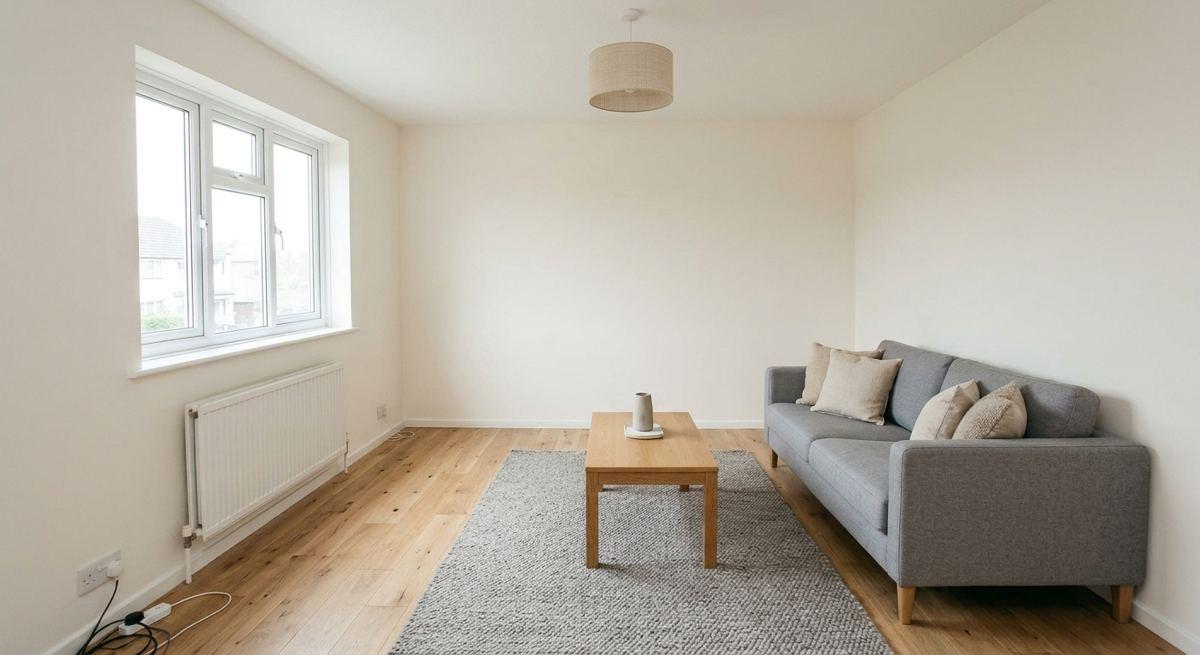
A renovation prompt should say which works are done and which things stay, room by room: walls, floor, ceiling light, curtains, furniture. That turns one photo into a set of options with different budgets. Ask only to 'renovate' and the model invents a new room. All five prompts below were run on the same photo of a dated living room.
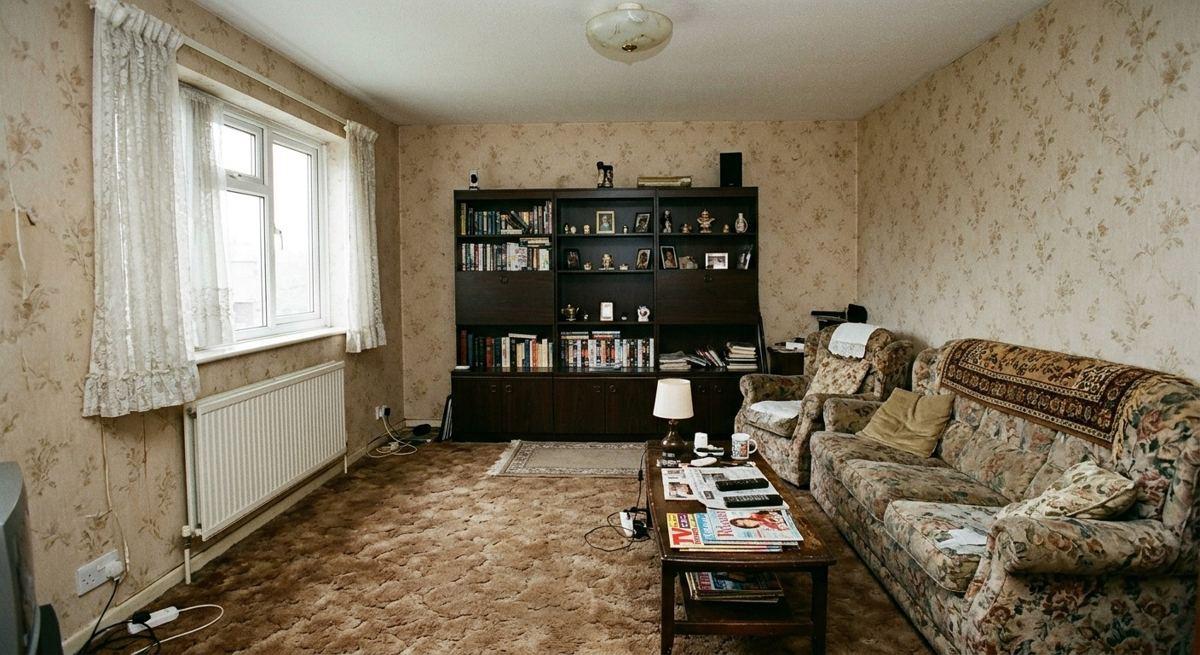
The dated room every prompt on this page started from. It was itself generated for this test.
1. Full renovation, emptied and refurnished
Show this exact room after a full renovation: remove the wallpaper and paint the walls warm white #F2EDE4, replace the carpet with oak floorboards, replace the ceiling light with a simple linen pendant, take down the net curtains. Keep the walls, the window, the radiator, the room's size and the camera angle exactly the same. Remove the old furniture and furnish it simply with a grey sofa, an oak coffee table and a wool rug.
Wallpaper gone, warm white walls, oak floor, linen pendant, net curtains removed, and the window and radiator still in place. The room is recognisably the same room.
2. Light refresh: paint and a new light
Show this exact room after a light refresh only: paint over the wallpaper in warm white #F2EDE4 and replace the ceiling light with a simple linen pendant. Keep the carpet, all the furniture, the window, the radiator and the camera angle exactly the same.
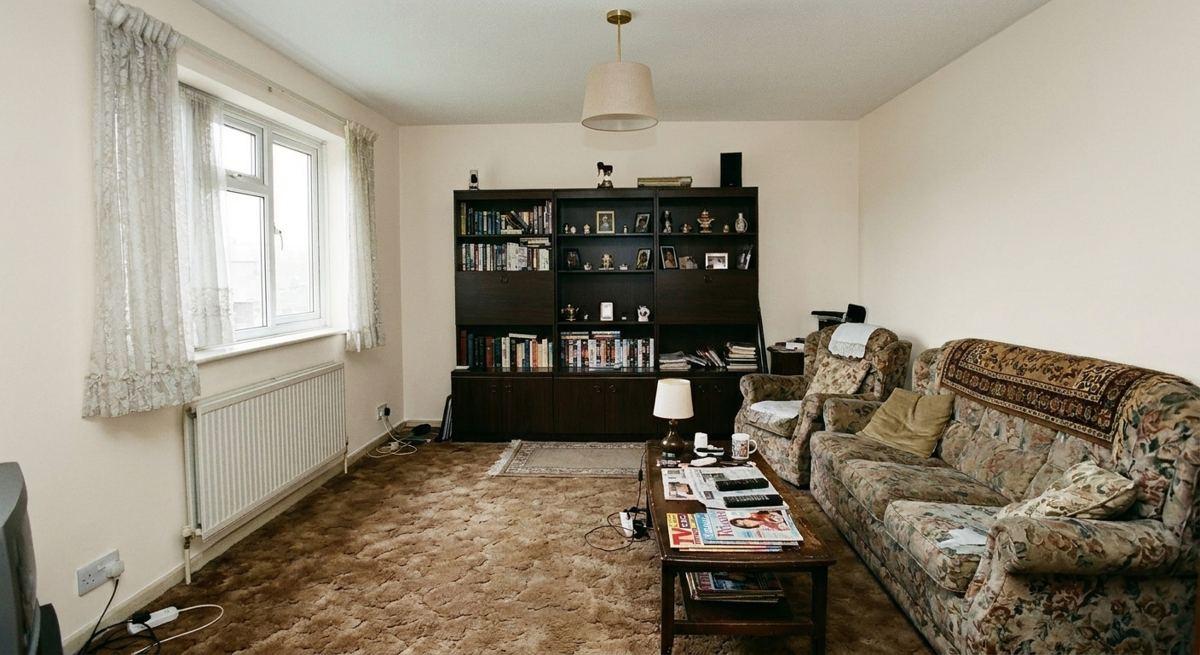
Only the walls and the ceiling light changed; the carpet, wall unit and floral sofa stayed. This is the cheapest version, and it shows how much paint alone does.
3. 'Renovate this room.'
Renovate this room.
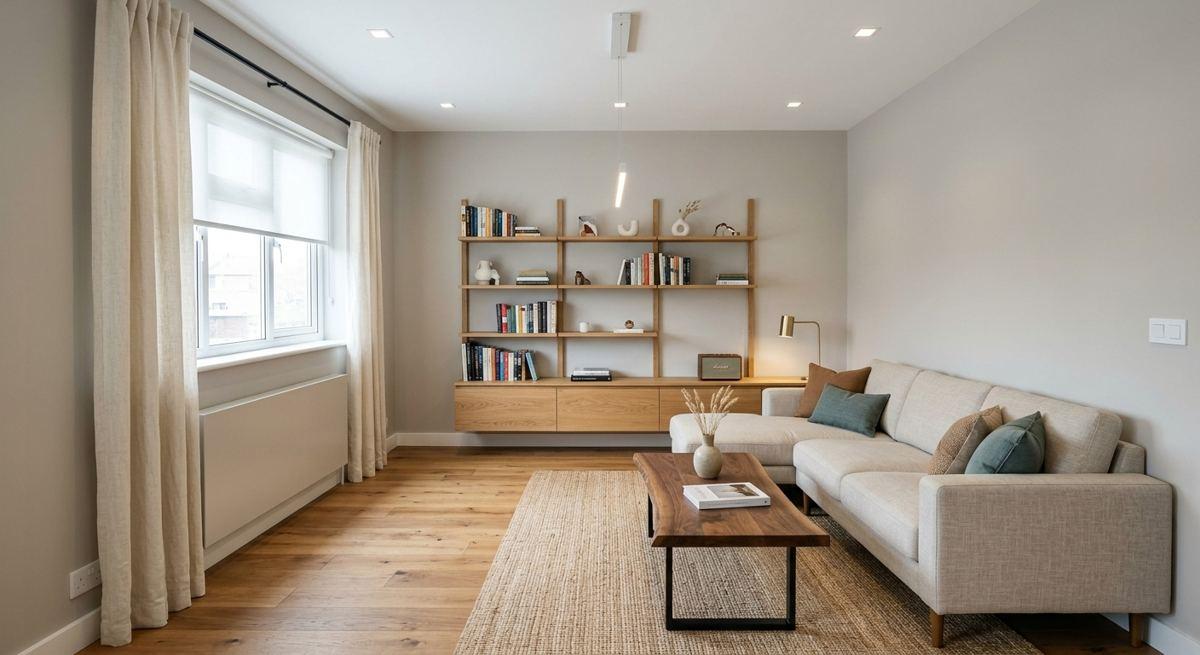
The model designed a different room: new furniture, new shelving, a TV wall in the French run. It kept the window, but the result is a showroom, not a plan for your works.
4. Small budget
Show this exact room on a small budget: keep the carpet, the window, the radiator and the dark wall unit, but paint the walls sage green #A3B18A over the wallpaper, put a plain linen cover on the sofa, add a large jute rug and replace the net curtains with plain linen curtains. Same camera angle.
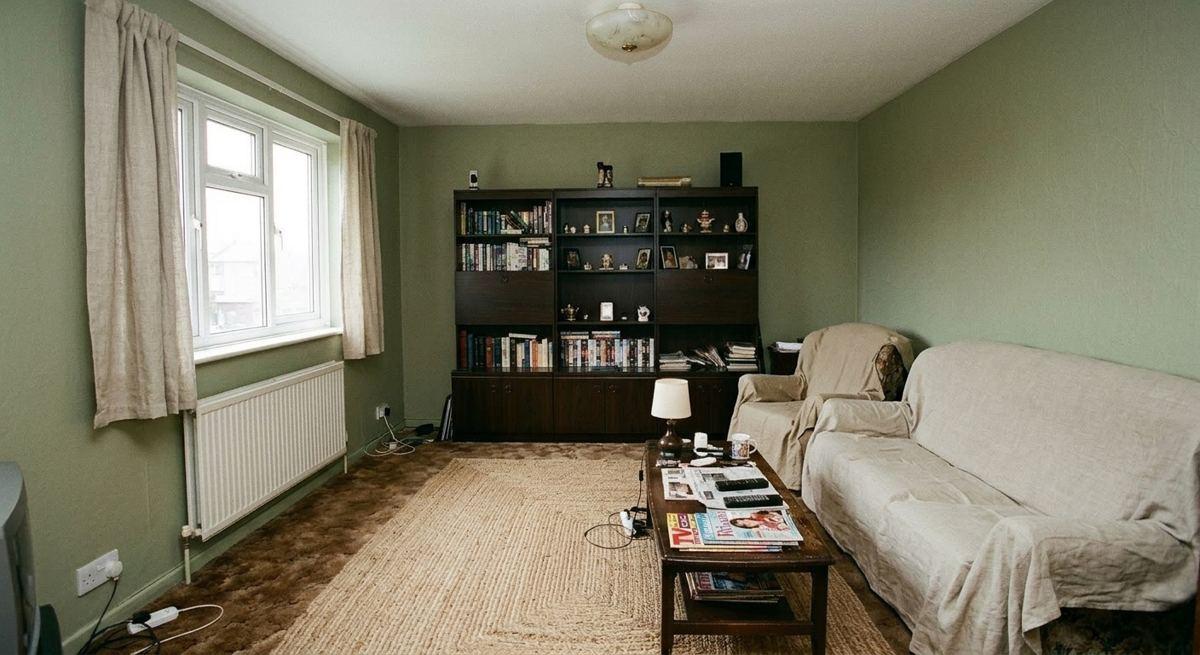
Sage paint over the wallpaper, a linen cover on the old sofa, a jute rug and plain curtains, with the carpet and wall unit kept. A believable weekend makeover.
5. A built-in bookcase
Show this exact room after renovation with a built-in floor-to-ceiling bookcase painted #6B6052 in place of the dark wall unit on the back wall. Walls warm white, oak floor instead of carpet, same window, same radiator, same room size, same camera angle.
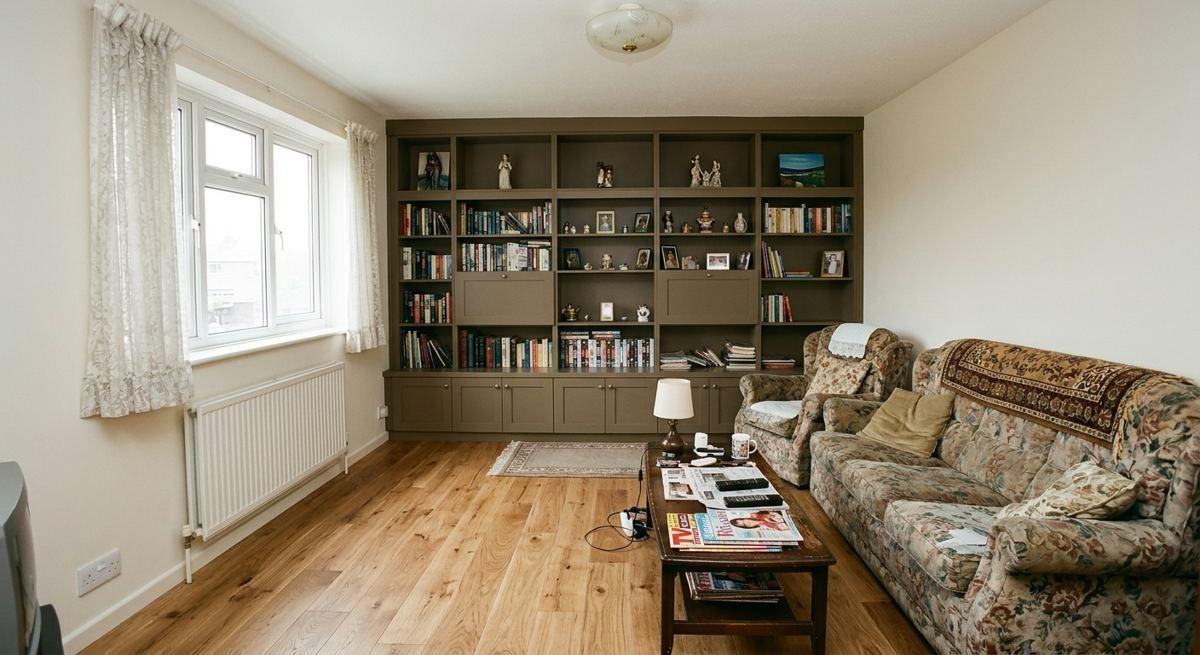
A floor-to-ceiling bookcase replaced the dark wall unit on the same wall, with the oak floor and white walls. Naming the wall it goes on kept it in the right place.
What these runs showed
- List the works: walls, floor, ceiling, lighting, curtains, furniture.
- List what stays: window, radiator, room size, camera angle.
- Make several versions by budget from the same photo.
- Avoid 'renovate', 'modernise' or 'redo' alone; they replace the room.
- Use the images to discuss options with a contractor, not as a quote.
Starting from a photo of your own room
Every prompt here can be run on a photo of your own space. In Styly you upload the photo, choose what to change and a style, and get a new version of the same room to compare with the original.
Try it on a photo of your room
Upload a photo and see your own room changed. The free plan gives 3 images without an account or card, and Starter starts with a 7-day free trial.
Try Styly →Questions
How do I make a renovation before and after with AI?
Upload a photo, list the works to do and the things that stay, and keep the camera angle the same.
Can AI show different renovation budgets?
Yes. Run the same photo with a light refresh, a small budget and a full renovation, and compare.
Why did AI change the whole room?
Because 'renovate' alone leaves every decision to the model. Name each change.
Can I use the image to get a quote?
Use it to explain what you want. A contractor still needs to see the room and measure it.
How these prompts were tested
Each prompt on this page was run once in English and once in French on 13 November 2026 with Google's Gemini 3.1 Flash Image model. The images are those results, resized and otherwise untouched; the English page shows the English runs and the French page the French runs. That is one run per language: the same prompt can return a different image next time, and other tools will answer differently. Where a run went wrong, we say so.