AI Prompt to Change Wall Color in a Photo
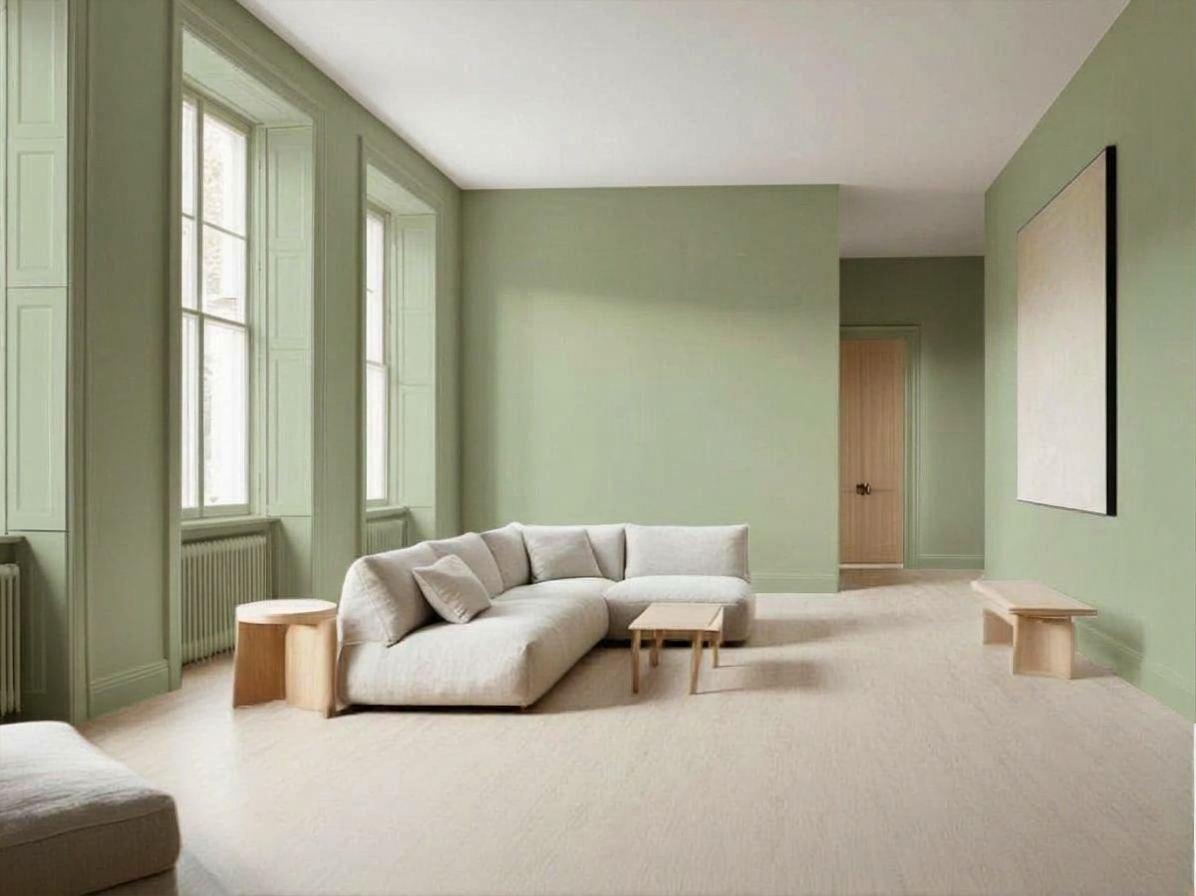
To change wall colour in a photo, write 'repaint only the walls', give the colour as a hex code with a finish, and say what stays white: ceiling, window frames, door. The hex code is what separates your green from the model's green. All five prompts below were run on the same living room photo.

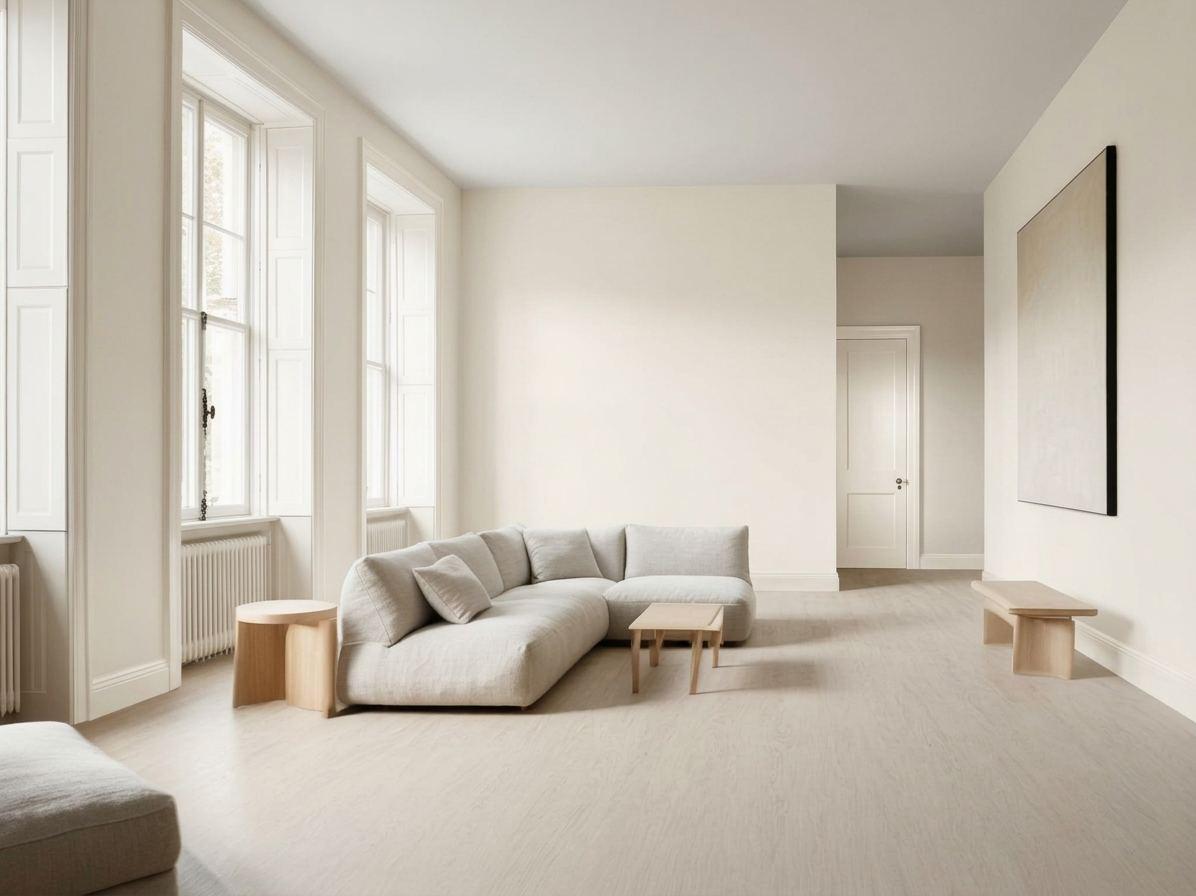
The room every prompt on this page started from
1. Sage green with a hex code
Repaint only the walls in this photo in sage green #A3B18A, matte finish. Keep the ceiling white. Keep the floor, windows, door, furniture, lighting and camera angle exactly the same.
The walls took a muted sage and the ceiling stayed white. The English and French runs were close but not identical, so a hex code narrows the colour without guaranteeing it.
2. Just 'green'
Repaint only the walls in this photo green. Keep everything else the same.
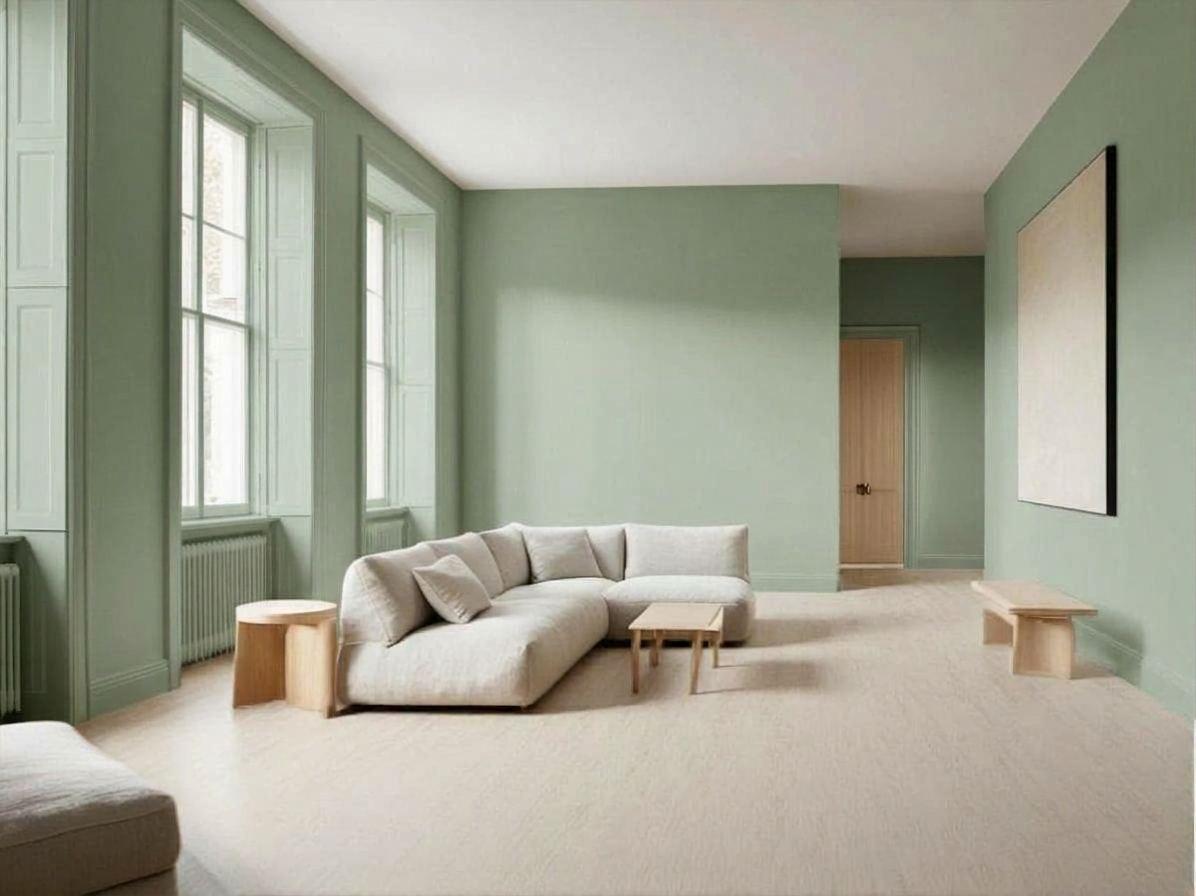
Without a code the model chose a cooler, more minty green. It is a nice wall, and it is not the colour in prompt 1.
3. Terracotta, woodwork kept white
Repaint only the walls in this photo in terracotta #C1694F, matte finish. Keep the ceiling, the window frames and the door white. Keep the floor, furniture, lighting and camera angle exactly the same.
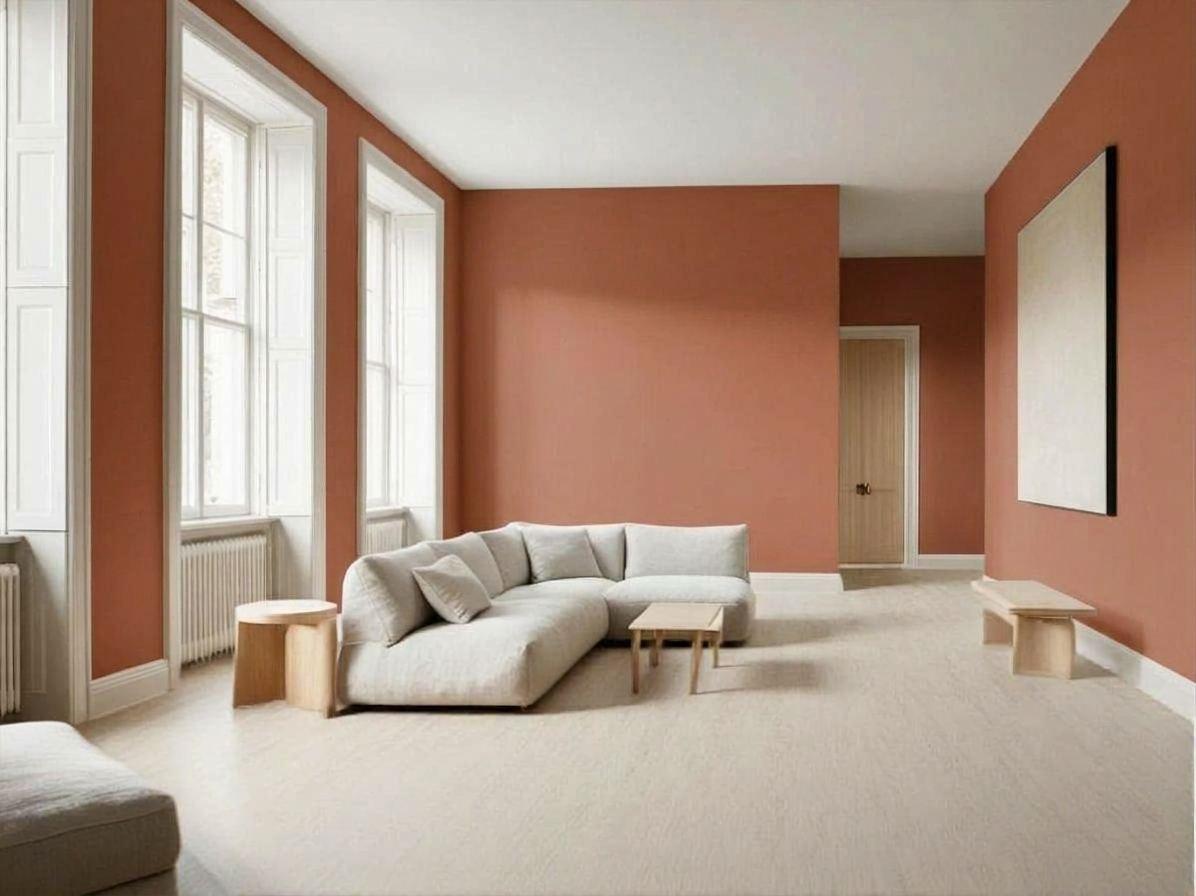
Naming the ceiling, window frames and door as white kept them white. Without that line, models tend to paint the frames too.
4. Navy accent wall
Repaint only the far wall of this photo in deep navy #1F2A44 as an accent wall, matte finish. Leave every other wall, the ceiling, the floor, windows, door, furniture, lighting and camera angle exactly as they are.
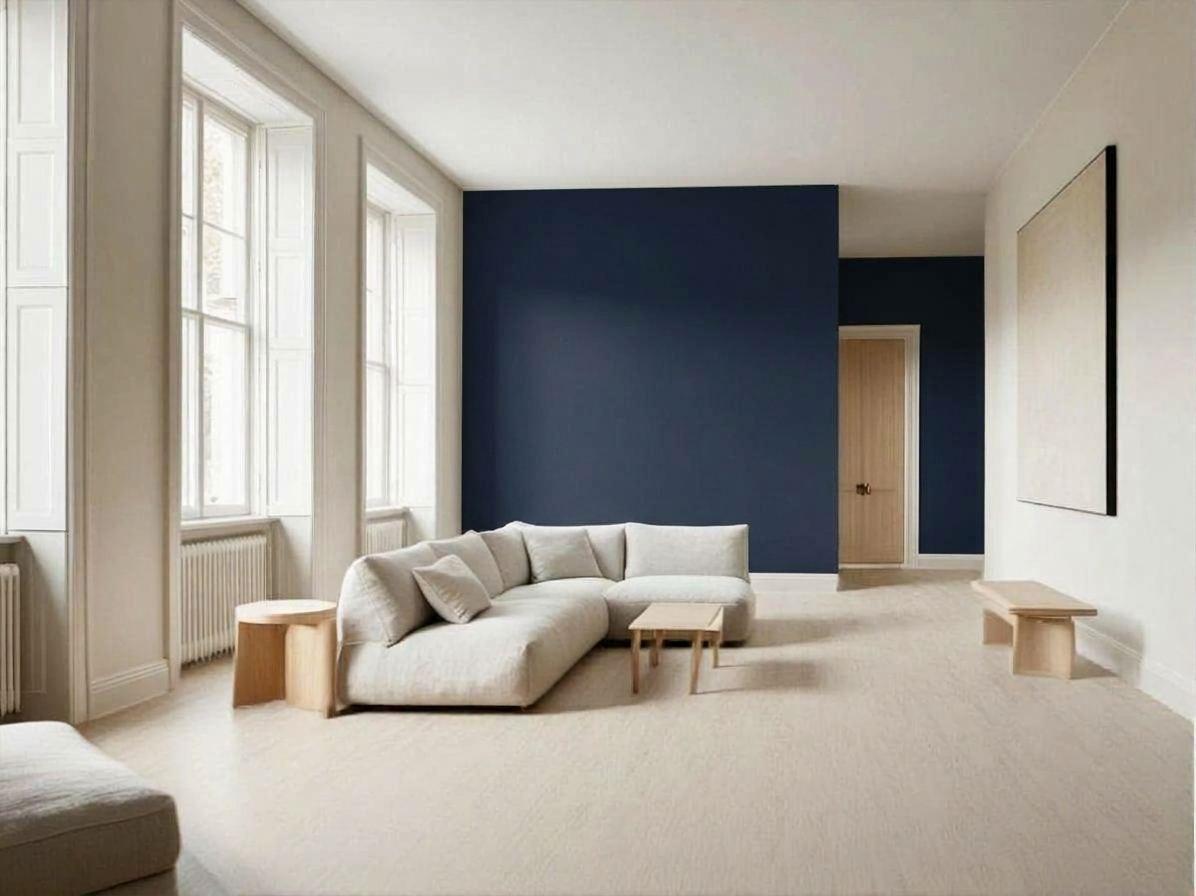
In English, only the far wall turned navy. In French, 'le mur du fond' led the model to paint the right-hand wall as well. Describe the wall by what is on it, for example 'the wall with the door'.
5. Walls, skirting and door in one colour
Repaint only the walls in this photo in warm off-white #F2EDE4 and the skirting boards and door in the same colour, satin finish. Keep the floor, windows, furniture, lighting and camera angle exactly the same.
The door changed from wood to the wall colour, as asked. Painting woodwork in the wall colour is a real decorating choice, and one sentence is enough to preview it.
What to write when changing wall colour
- Open with 'repaint only the walls'.
- Give the colour as a hex code and add the finish: matte, satin.
- Say what stays white: ceiling, window frames, door, skirting.
- For an accent wall, identify the wall by a feature on it, not by 'far' or 'back'.
- Run it twice and compare. A hex code brings the runs close together; it does not make them identical.
- The screen is not a paint chart. Use the image to choose a direction, then test a real sample.
Try it on your own room
Styly's floor and wall visualizer shows your own room with a different floor or wall from one photo, so you can compare options in your light before you buy.
Try a floor or a wall on a photo of your room
Upload a photo and compare options in your own space. The floor and wall visualizer is included in Styly Starter, which starts with a 7-day free trial.
Try Styly →Questions
How do I change wall colour in a photo with AI?
Upload the photo and write 'repaint only the walls in…' with a hex code and a finish, then list what must stay the same.
Does AI understand hex colour codes?
It follows them closely. In our runs a hex code gave a consistent tone, and a colour name alone gave a different one.
How do I prompt an accent wall?
Name the wall by what is on it, such as 'the wall with the door', and say that every other wall stays as it is.
Will the paint look the same in real life?
No screen can promise that. Light, finish and the surface change a colour, so paint a sample first.
How these prompts were tested
Each prompt on this page was run once in English and once in French on 5 October 2026 with Google's Gemini 3.1 Flash Image model. The images are those results, resized and otherwise untouched. That is one run per language: the same prompt can return a different image next time, and other tools will answer differently. Where a run went wrong, we say so.